Quick Tour
~~~~!~~~~~~~TIME!MACHINE
Hello
Thanks for testing Time Machine. Ever since I was a kid, I've loved music countdowns, the top 100 songs of the week. Music takes you back to a place and a time better than almost anything.
Here's a quick look at using the app.
Getting around
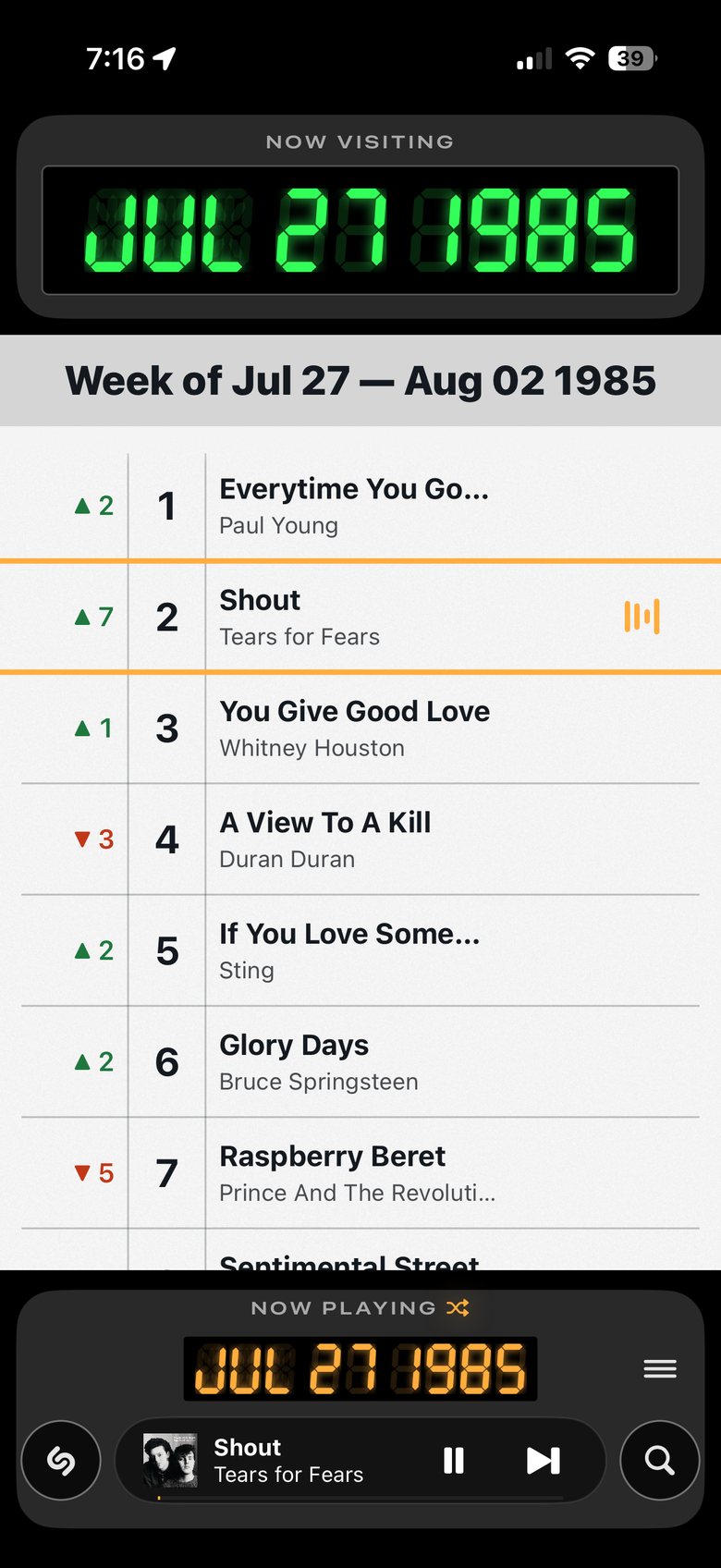
The main screen
- 1Where you are. Tap the green date to open the dialer.
- 2Every chart covers a whole week. Any day you dial lands on that week.
- 3How far each song rose or fell since last week.
- 4The song playing now.
- 5The week the playing song is from. Browse anywhere and it keeps playing. Tap here to jump back.
- 6Shazam: let it listen to a song playing nearby.
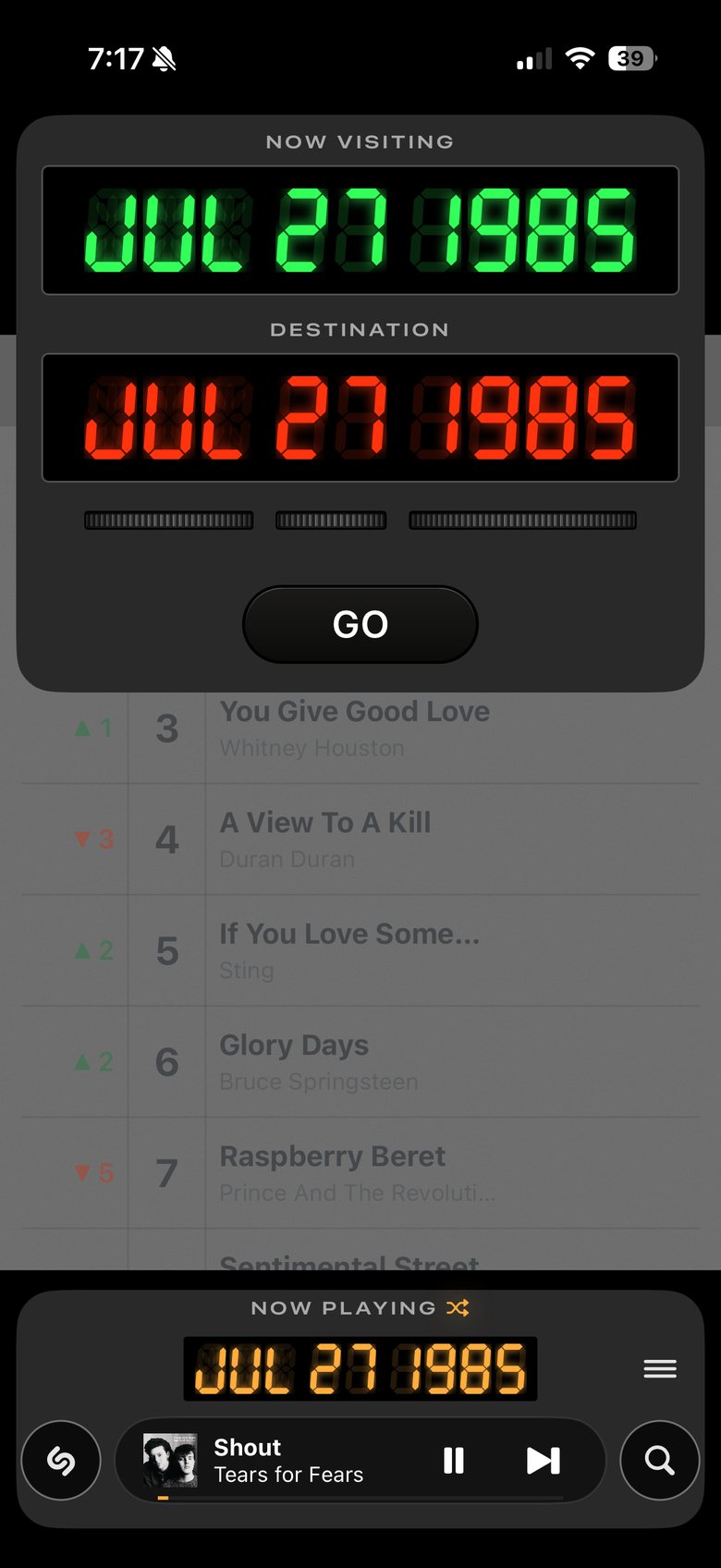
The dialer
- 1Your destination.
- 2Turn a dial sideways; you can also tap either side to move one step, and press and hold to go faster.
- 3Tap GO to travel.
You can also swipe between weeks.
Listening
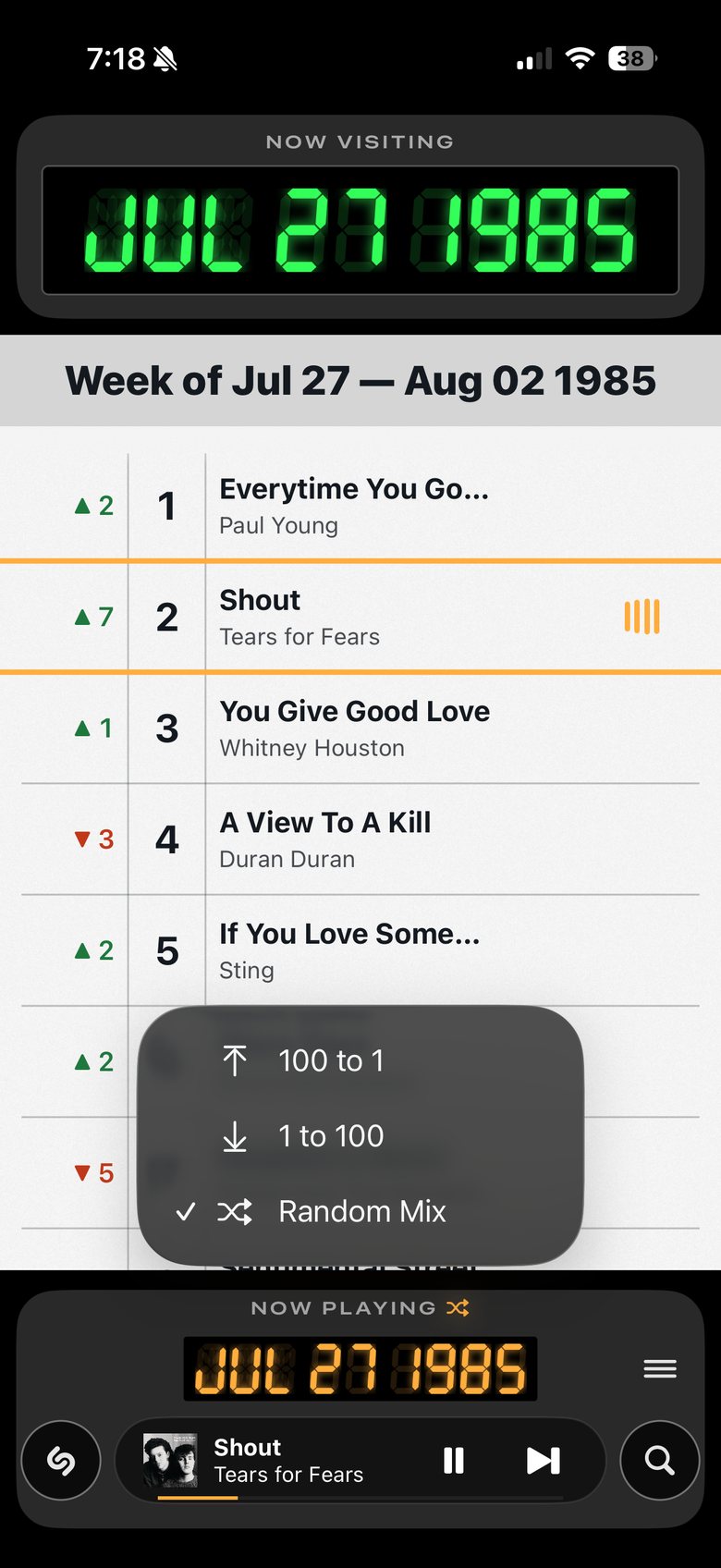
Play order
- 1Tap NOW PLAYING to change how a week plays.
- 2Random Mix is the default. Or count up from 1, or down from 100.
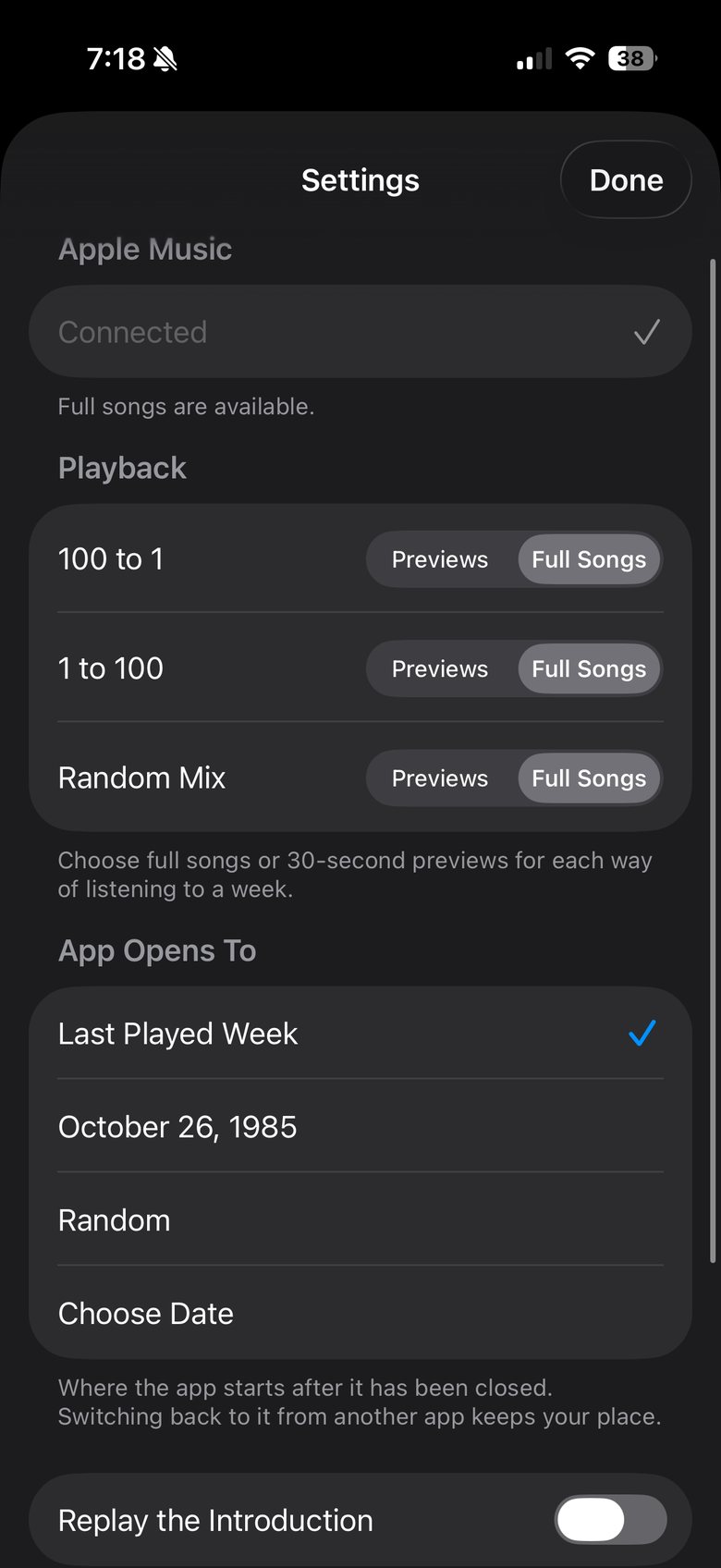
Settings
- 1Connect Apple Music for full songs. Without it, you hear previews.
- 2Full songs or previews, for each play order.
- 3Where the app opens when you come back.
- 4See the introduction again.
My favorite thing to do: full songs, random play. Pick a week from when you were ten, hit play, and let it run. Three or four songs in, you're hearing things you haven't thought about in years. It's like having a radio from that exact week in time.
Finding songs
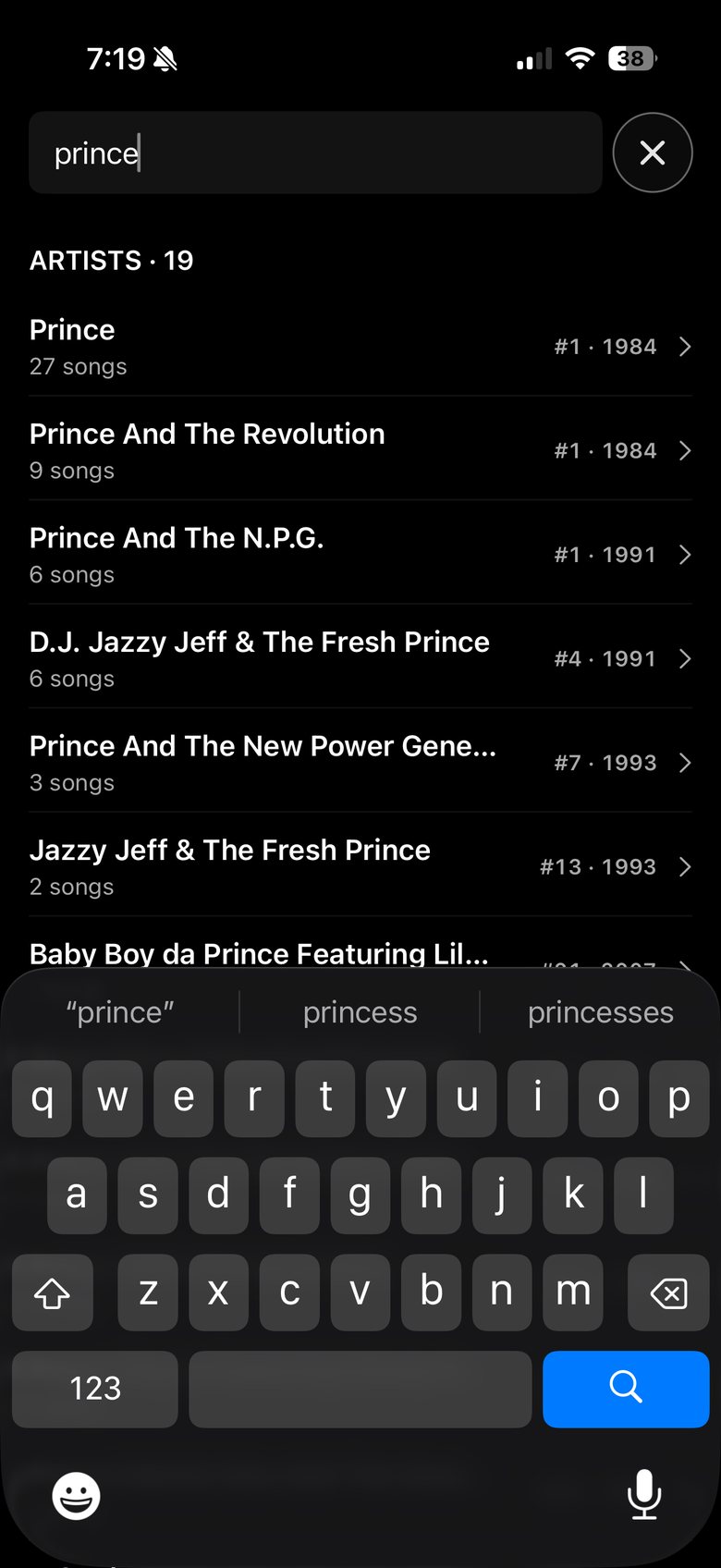
Search
- 1Each result shows its best week on the chart.
- 2Some songs were by an artist with someone else. Those show up too.
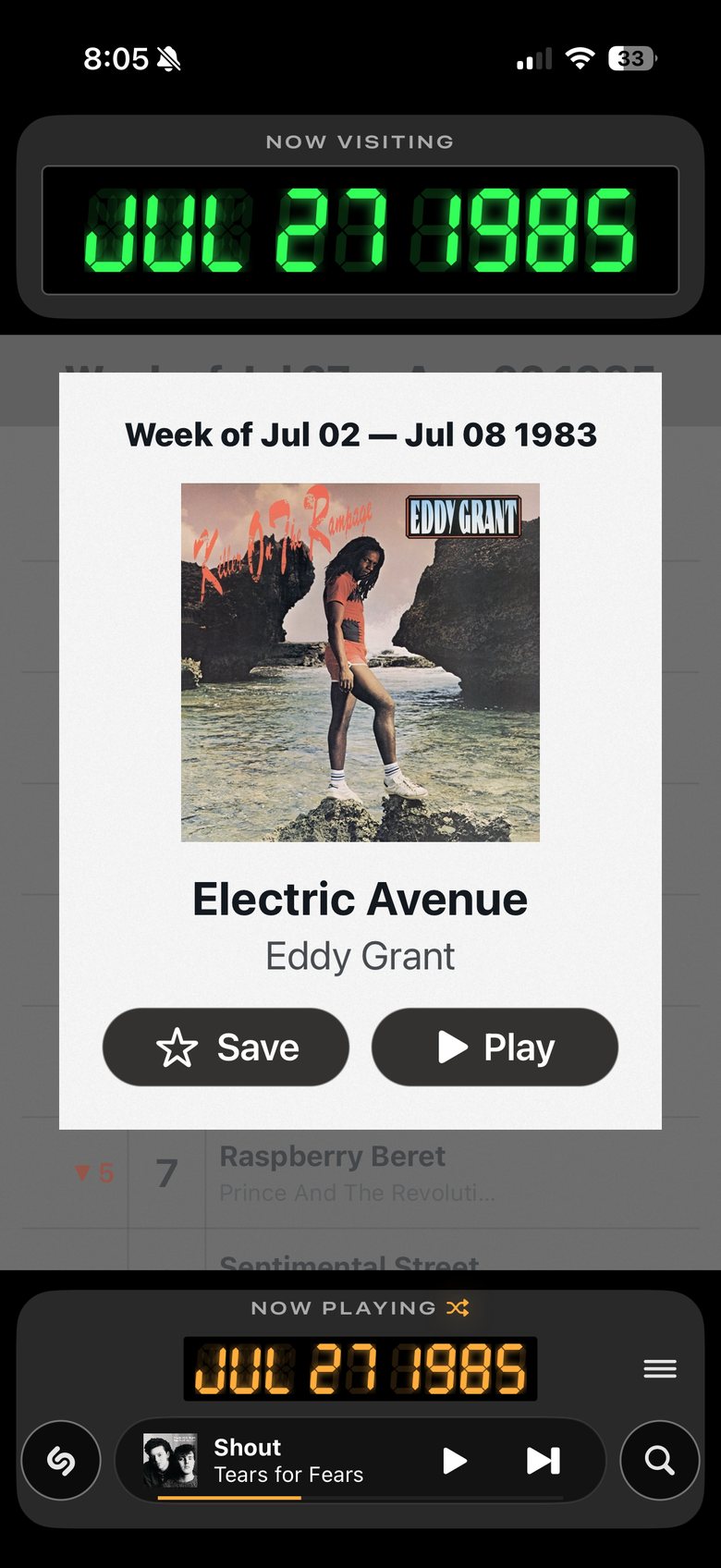
Shazam: it charted
- 1It opens the song at its best week.
- 2Play it, or save it.
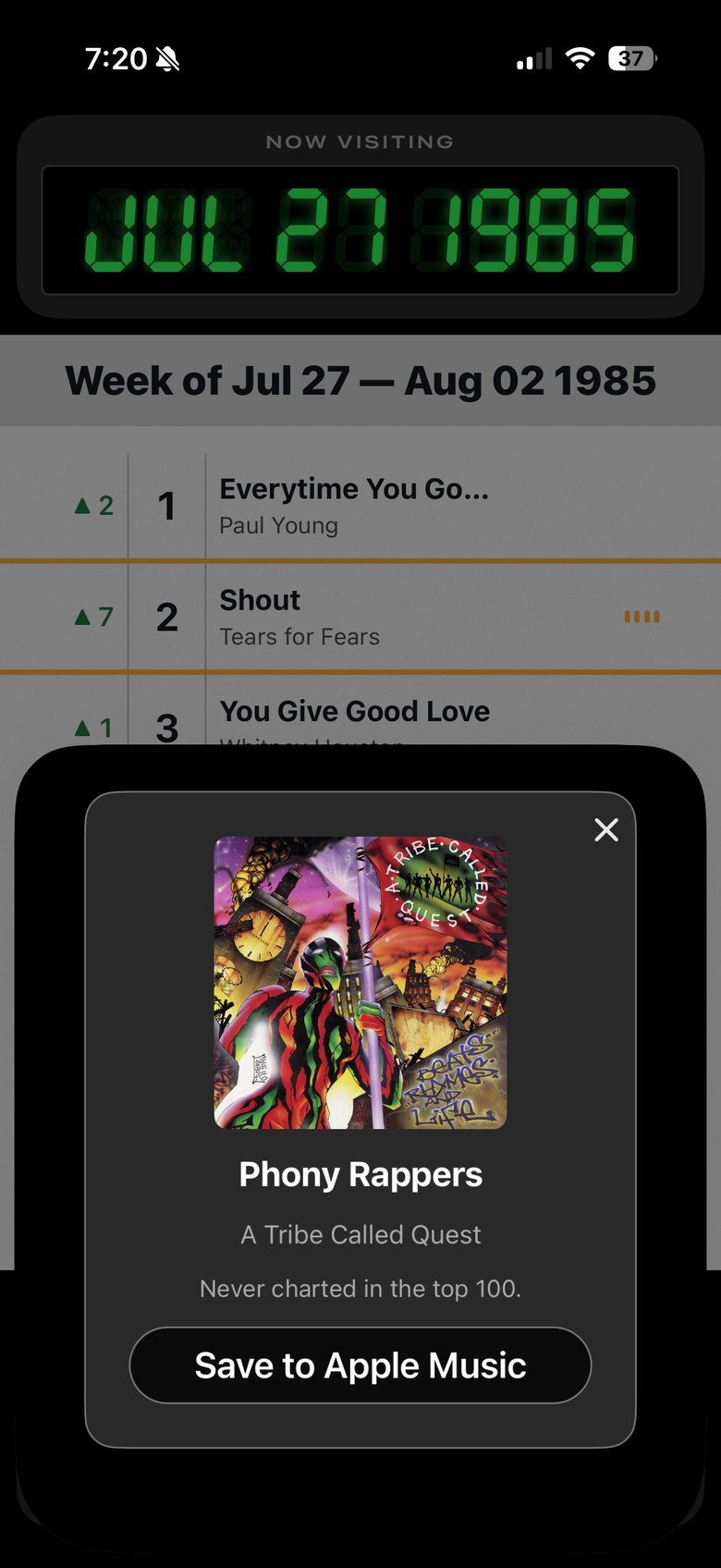
Never charted
- 1If it never charted, it tells you.
- 2You can still save it to Apple Music.
Keeping songs
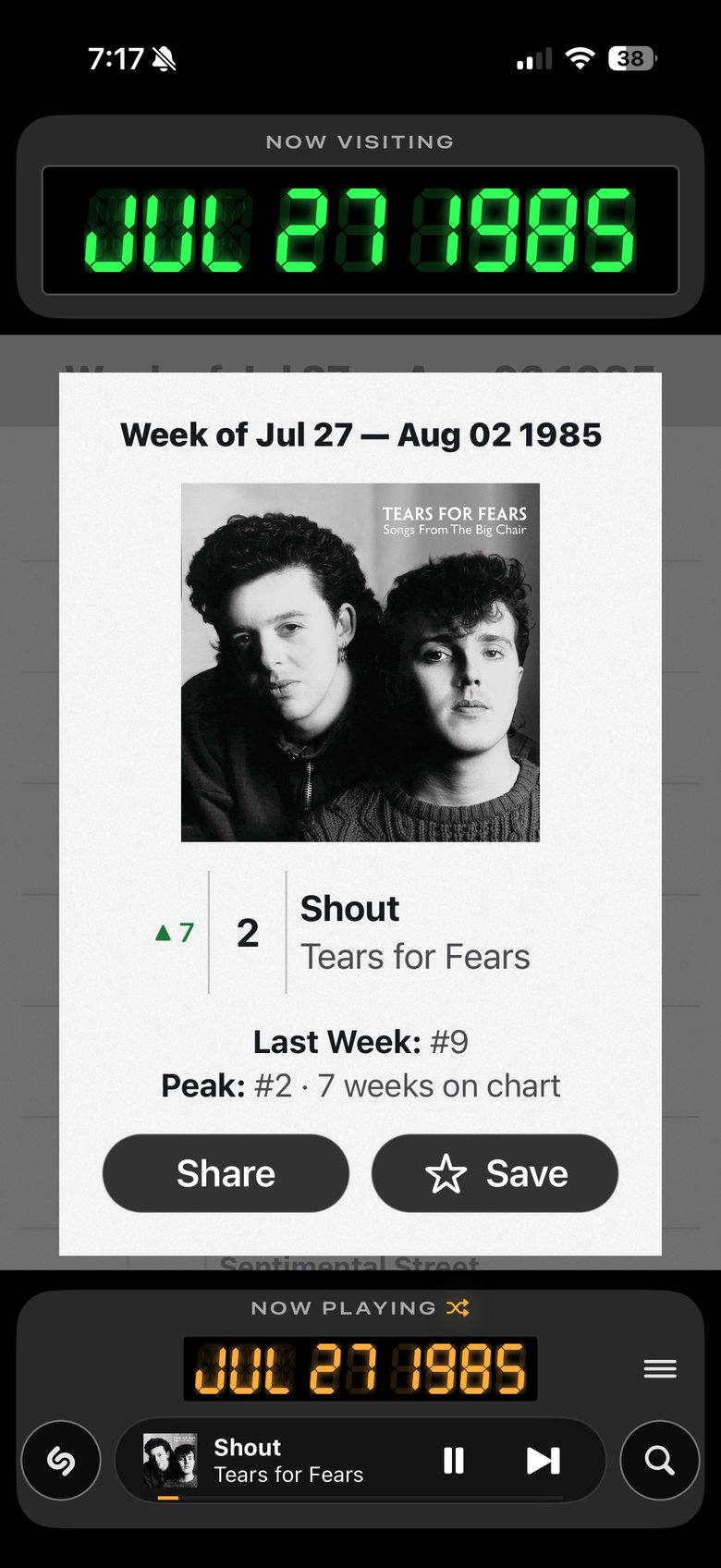
Long-press any song
- 1Last week, its peak, and how long it charted.
- 2Share it. For now, links only open for other testers.
- 3Save it.
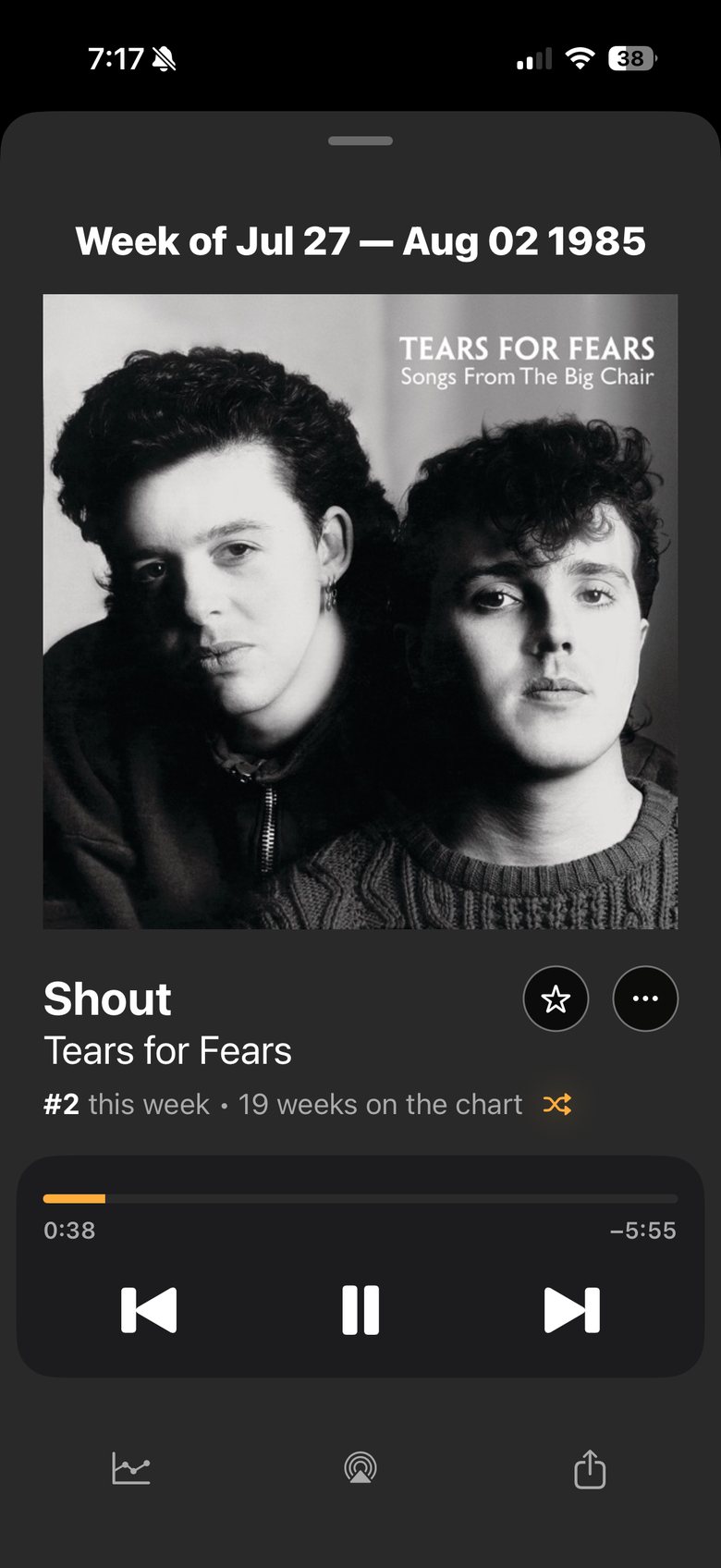
Tap the player at the bottom
- 1Save.
- 2More: add to Apple Music, go to the artist.
- 3The song’s chart history.
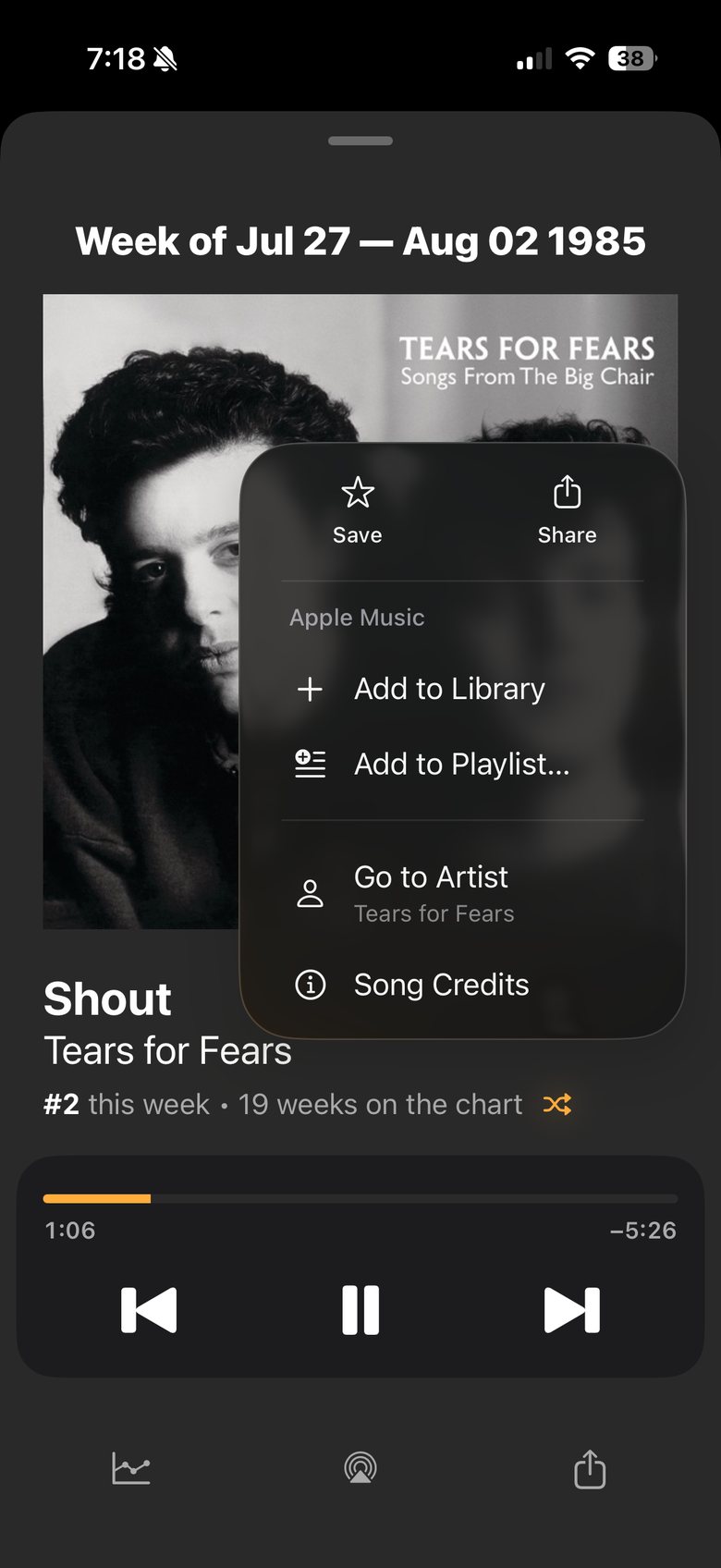
The ••• menu
- 1Add the song to your Apple Music library or a playlist.
- 2See everything by this artist.
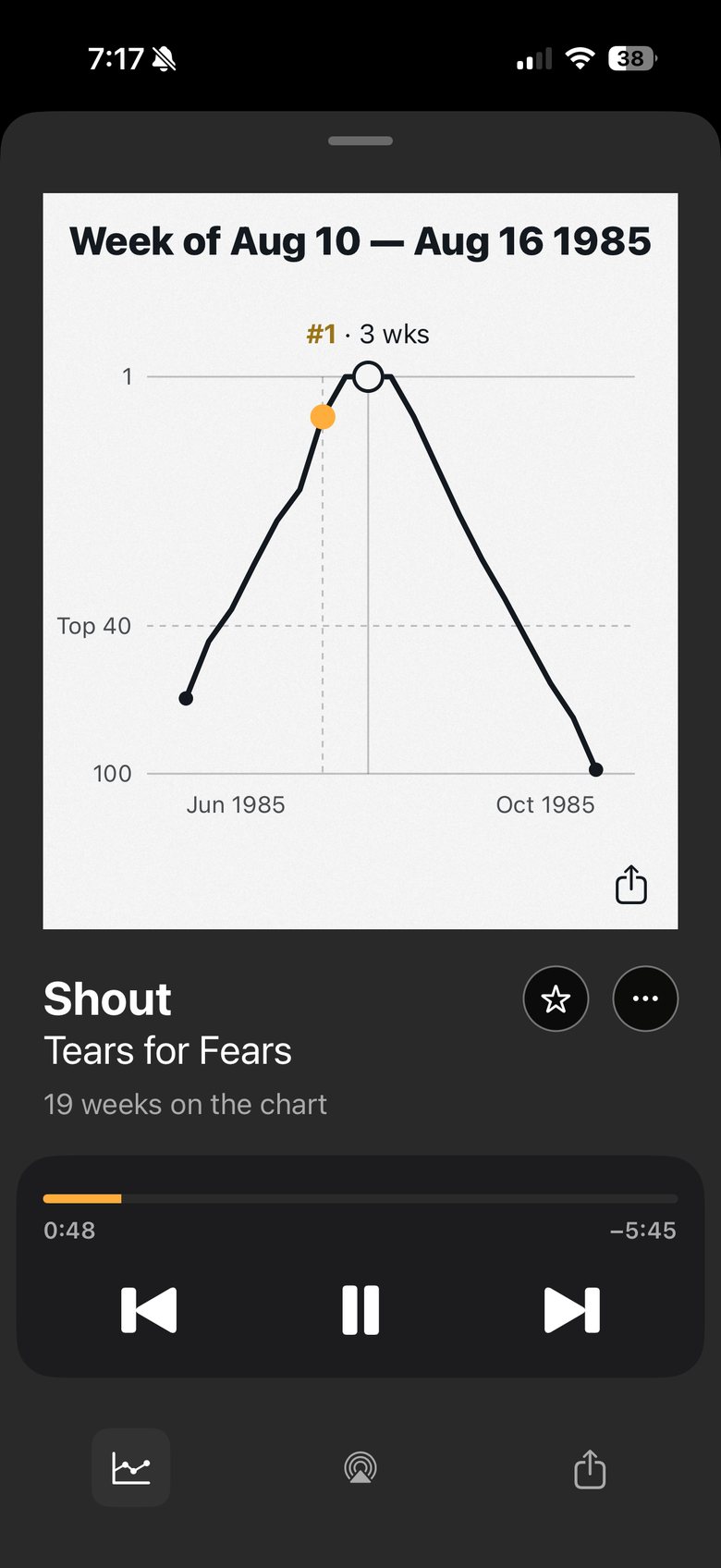
The graph
- 1Drag along it to follow the song’s run.
- 2Its peak, and how many weeks it held there.
- 3Where it came in and dropped out.
- 4Share the graph.
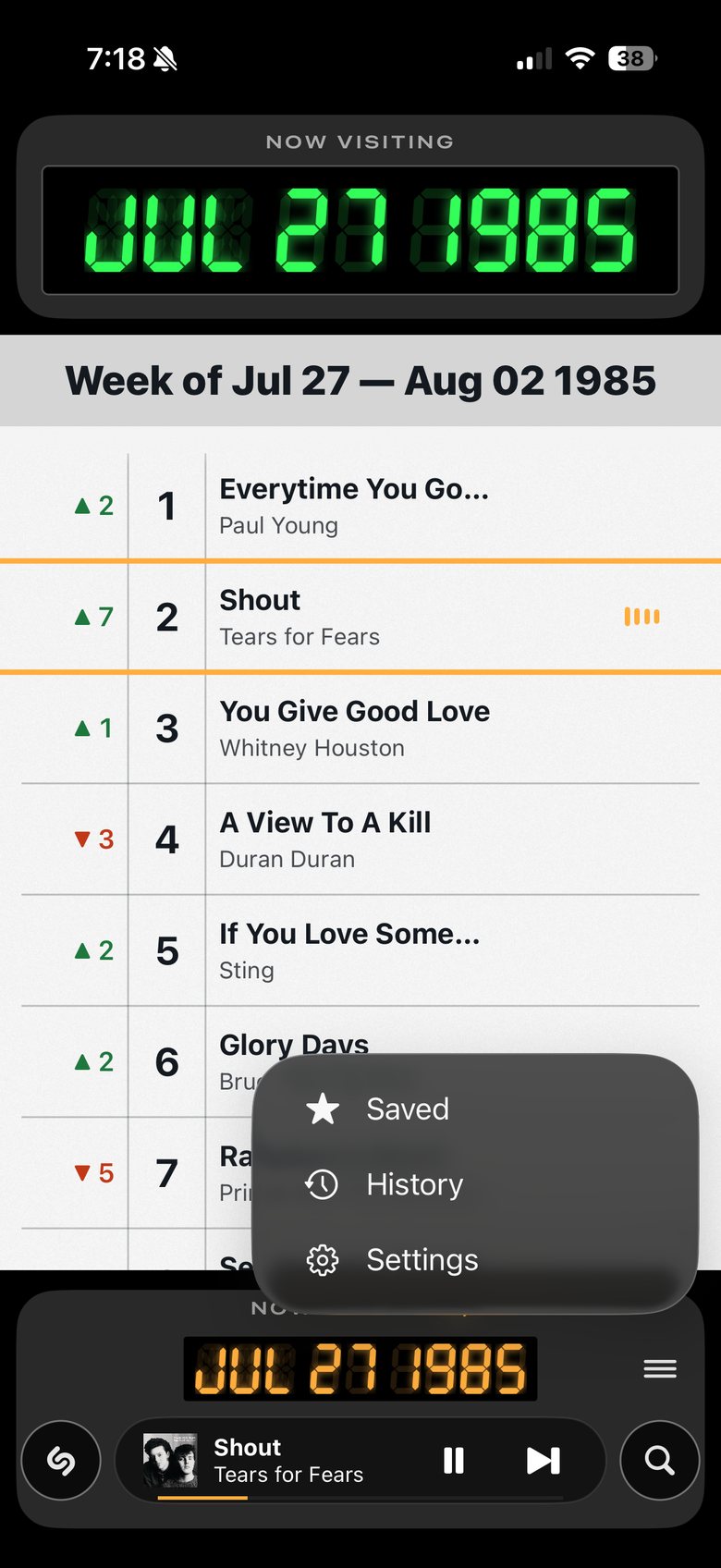
The menu button
- 1Tap for Saved, History and Settings.
- 2Everything you’ve saved, and everything you’ve played.
Good to know
One beta quirk. Play and pause work from your lock screen, but to skip a song, come back into the app.
That's it. Explore, and tell me what you find: what's broken, what's confusing, and what you wish it did.
You can send feedback at the link at the bottom of settings, or just text or email me directly.
Thanks for listening!